Inventory management

Low stock report instead of a low stock alert

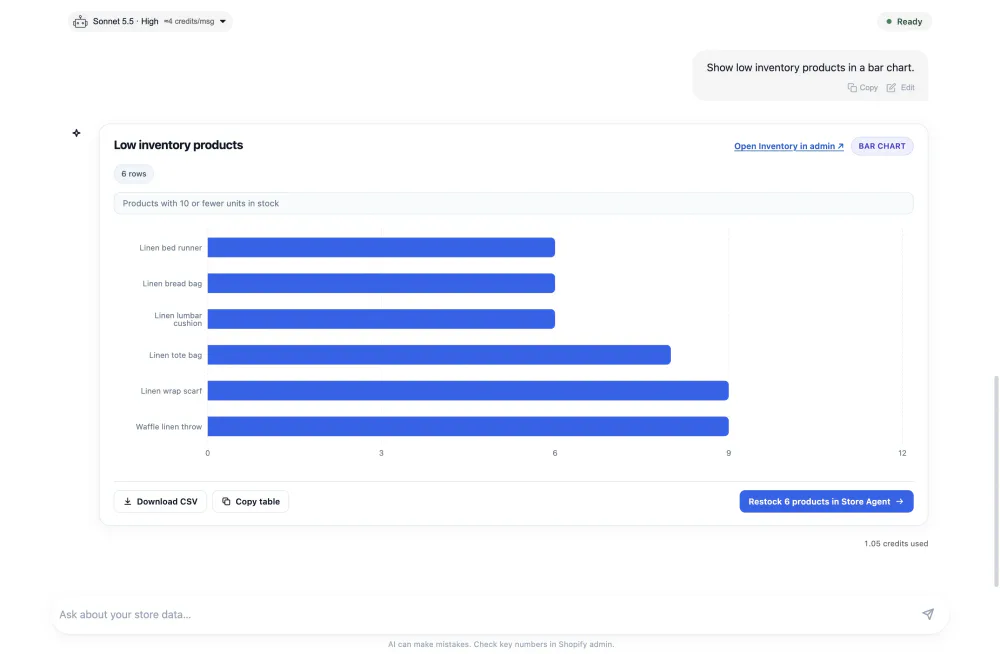
Ask Store Analytics which products are running low and get a bar chart or table of everything at 10 units or fewer, with a button to restock them in Store Agent.

StoreDesk Store Analytics bar chart of six products with 10 or fewer units in stock, with Download CSV, Copy table and a Restock 6 products in Store Agent button

01Overview

Low stock report in StoreDesk

People search for a low stock alert when they want to know what's about to sell out before a customer finds an empty product page. StoreDesk doesn't send alerts. It gives you a low stock report whenever you ask: type "show low inventory products in a bar chart" in Store Analytics and it reads your current stock and lists the products at or under 10 units.

From the report you can download the list as a CSV, copy the table, open your admin's inventory screen, or send the products to Store Agent as a restock request that you check and approve like any other change.

What a low stock report shows

A low stock report lists the products whose stock has fallen to a line you choose. StoreDesk's version shows each product's name and units left, as a bar chart or a table, with 10 units as the default line.

Use it before you place a supplier order, or on a set day each week, so best sellers get reordered while there's still stock to sell.
Ask for out of stock products in plain English

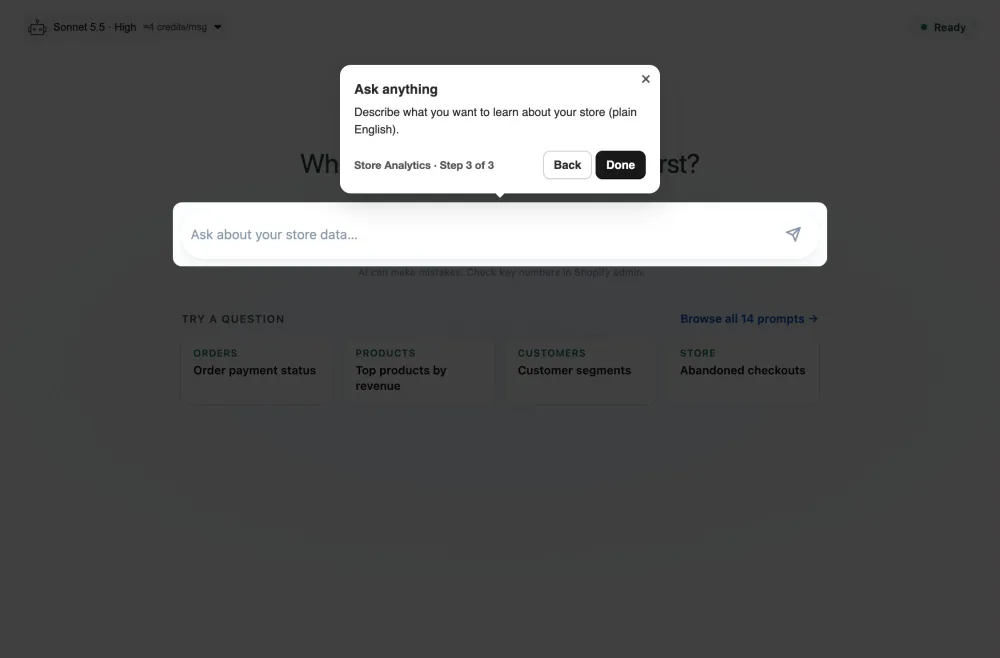
Open Store Analytics and ask the way you'd ask a colleague. Name a different line or a chart type in the same question if you want one. Each answer reads your current stock, so the list is up to date when you ask.

  • "Show low inventory products in a bar chart"
  • "Which products have 5 or fewer units left? Show a table"
  • "Show products with 0 units in stock as a table"
StoreDesk
StoreDesk Store Analytics question box with a tip to describe what you want to learn about your store in plain English

Products, not variants: what counts as low

The report adds up stock across all of a product's variants. A shirt with 30 units in Medium and none in Small counts as 30, so it won't appear even though Small is sold out.

For checks size by size, use the Open Inventory in admin link on the report. Your admin's inventory screen lists every variant and location.

Restock from the report

The Restock button opens Store Agent with a request for the products in the report, such as adding 20 units to each of their variants. Change the numbers before you send it if you need to.

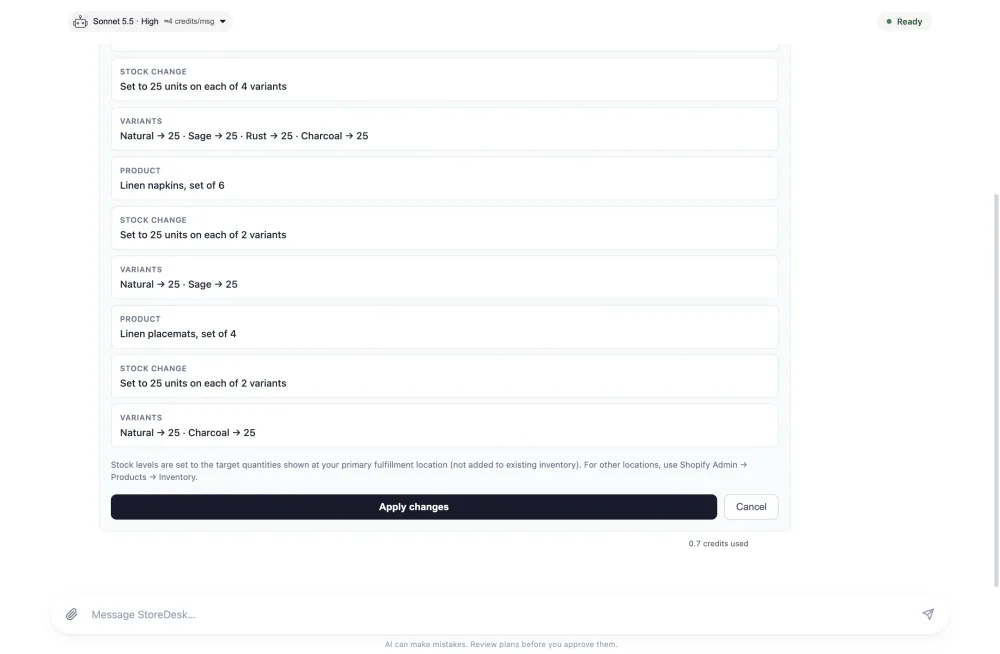
StoreDesk then shows every variant and the stock it will end up with on a review card. Nothing changes until you click Apply changes.

StoreDesk
StoreDesk review card setting stock to 25 units on each variant of three table linen products, listing every variant and its new count, with an Apply changes button

Export it as an inventory report

Every answer in Store Analytics has Download CSV and Copy table buttons, so the list can go into a spreadsheet or an email to your supplier. The report reads your stock as it is when you ask, so ask again after a delivery to see the new picture.

02How it works

How to use low stock report in 4 steps

What you ask StoreDesk, what it shows you and what you approve, in order.

  1. Open Store Analytics

    It sits next to Store Agent in the StoreDesk app.

  2. Ask for low inventory products

    10 units is the default line. Name another number if you want one.

  3. Read the chart or table

    Each product shows its total units left across all variants.

  4. Restock if you need to

    Send the list to Store Agent, check the review card and approve.

04Get started

Try low stock report on your store

Add StoreDesk to your store and ask for low stock report in plain English. Nothing changes until you approve the plan.

05FAQ

Low stock report questions

Answers to common questions about low stock report in StoreDesk.

Still have a question?

Write to us and a person answers.

How do I find low stock products?

Ask Store Analytics to show low inventory products, and it lists every product with 10 units or fewer in a bar chart or a table. Name a different line in the same question, such as 5 or fewer.

How do I track low stock in an online store?

Pick a number of units that gives you time to reorder, then check the products at or under it on a set day each week. StoreDesk doesn't send alerts, so you ask for the low stock report when you sit down to reorder.

How many units should trigger a low stock warning?

Enough units to cover sales while you wait for the next delivery: roughly what you sell per day times your supplier's lead time in days, plus a small buffer. A product that sells 2 a day with a 5 day lead time needs a line of at least 10. StoreDesk's report uses 10 by default and takes any number you ask for.

Does StoreDesk send low stock alerts?

No, StoreDesk doesn't send alerts, emails or notifications. The low stock report appears when you ask for it in Store Analytics.

Why isn't a sold-out size in the report?

The report counts each product's total stock, not single variants. A product with one empty size and stock in its other sizes stays above the line, so check sizes in your admin's inventory screen.

Can I export the low stock report?

Yes, every report has Download CSV and Copy table buttons. In our demo store the report in the screenshot used about 1 credit to build.