01 · 1
Say what it is and who it's for
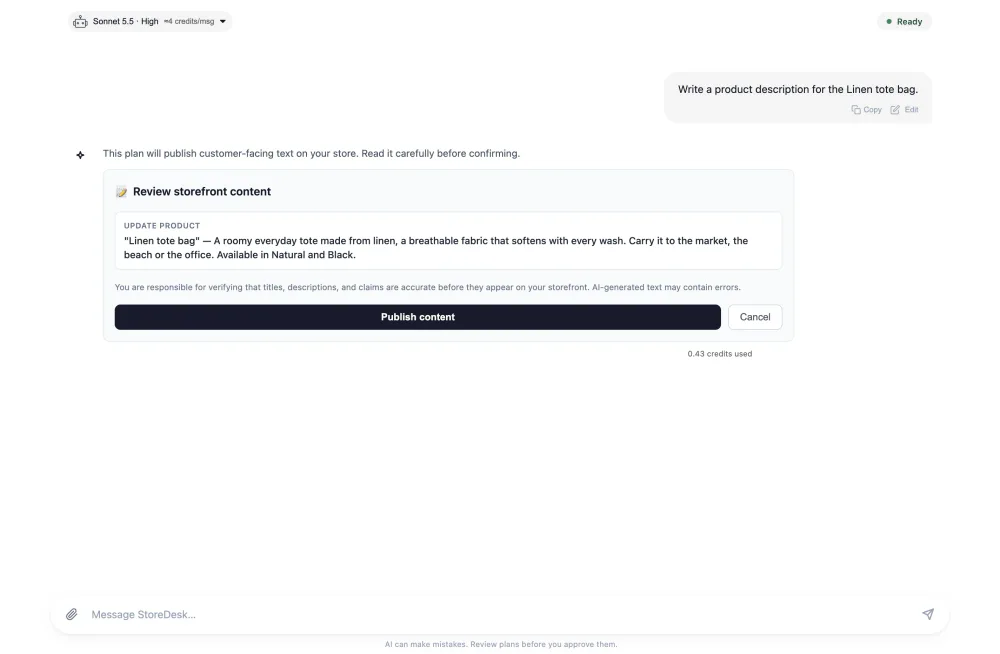
Open with the product in plain words. "A roomy everyday tote made from linen" tells a shopper more than "the perfect bag for you".
Writing a clear, honest description for every product one by one is slow. StoreDesk is an AI product description generator inside your store admin: ask in plain English, read the draft, and nothing changes until you approve it.
Free tool
Add a product name and its key features, pick a tone and a length, and get a description to paste in.
5 free a day
Example result
Product description
Meet the navy linen shirt you reach for when the day turns hot. Breathable linen keeps you cool, and the relaxed fit sits easy from morning to evening. - Breathable linen - Relaxed fit - Button-down collar
Do this for every product inside your store with StoreDesk.
Add to your store01What it does
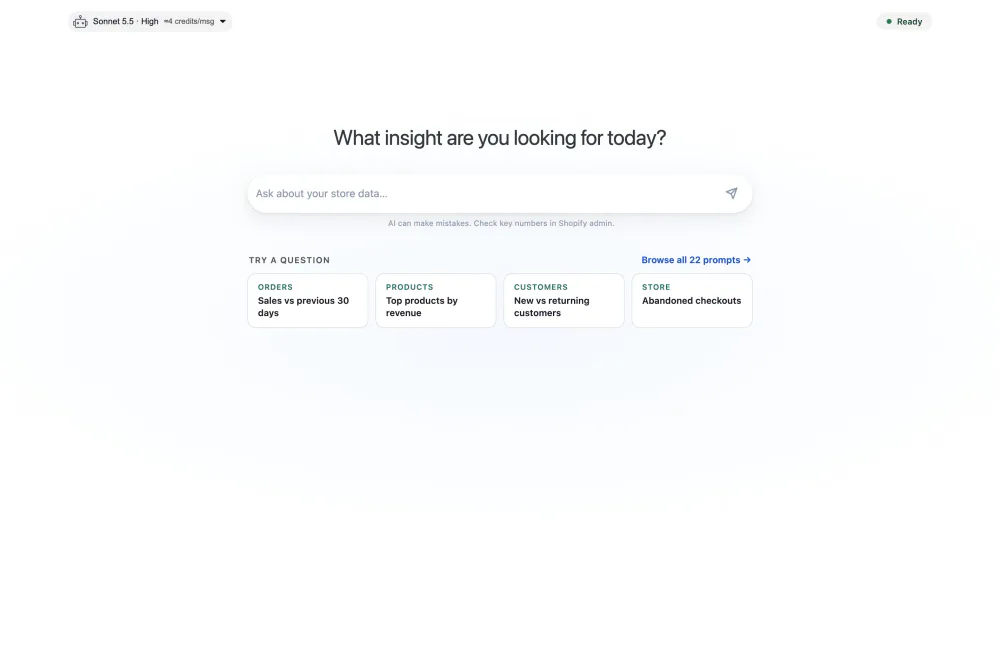
StoreDesk is an AI product description generator that works inside your Shopify admin. Ask for a description in the Store Agent chat and it drafts short, factual copy from what it knows about the product: the title, the options and variants, the tags, a photo you attach and any facts you type. The draft comes back in a review card. Read it, then publish it or cancel. The same chat writes descriptions while it creates new products, writes many at once and suggests clearer titles, always with that approval step.
02Before you generate
Whether you use a product description writer, a free tool or your own keyboard, the same five things make a description useful to a shopper.
Open with the product in plain words. "A roomy everyday tote made from linen" tells a shopper more than "the perfect bag for you".
Shoppers can't touch the product, so the description stands in for it.
Call it what shoppers call it: "linen tablecloth", not a brand nickname. Use the product's plain name once, early, and let the rest read naturally.
Most shoppers skim. A few clear sentences plus the specs they need beats a long story they scroll past.
No invented reviews, "#1 best seller" claims, "only 3 left" pressure or health promises you can't back up. They mislead buyers and can break marketplace and ad rules.
03New products
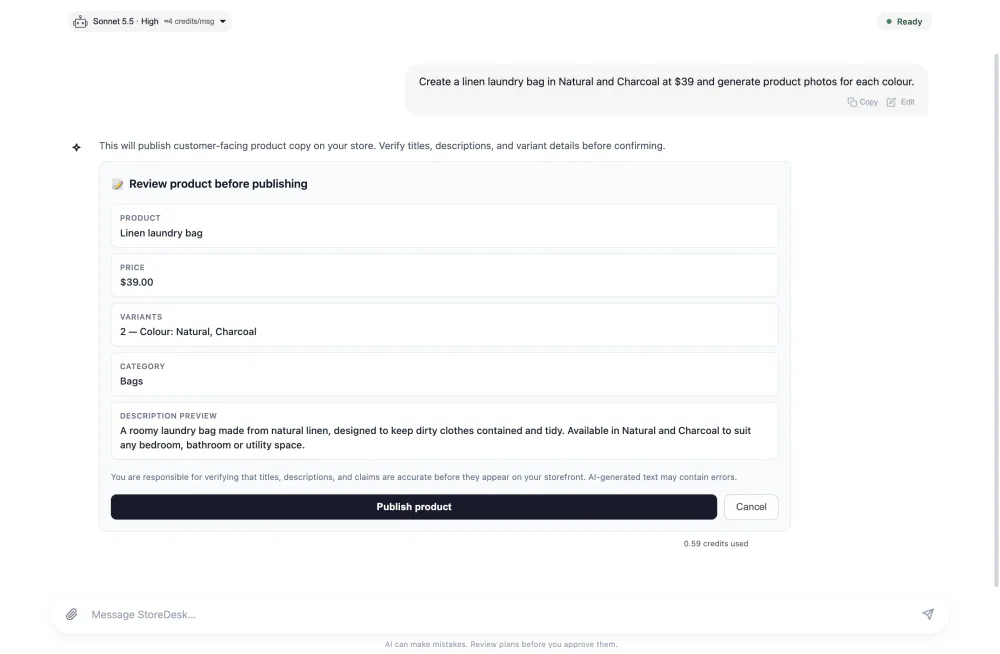
Ask "Create a linen laundry bag in Natural and Charcoal at $39" and StoreDesk drafts the whole listing, description included. The review card shows every field before anything is created.
04Many at once
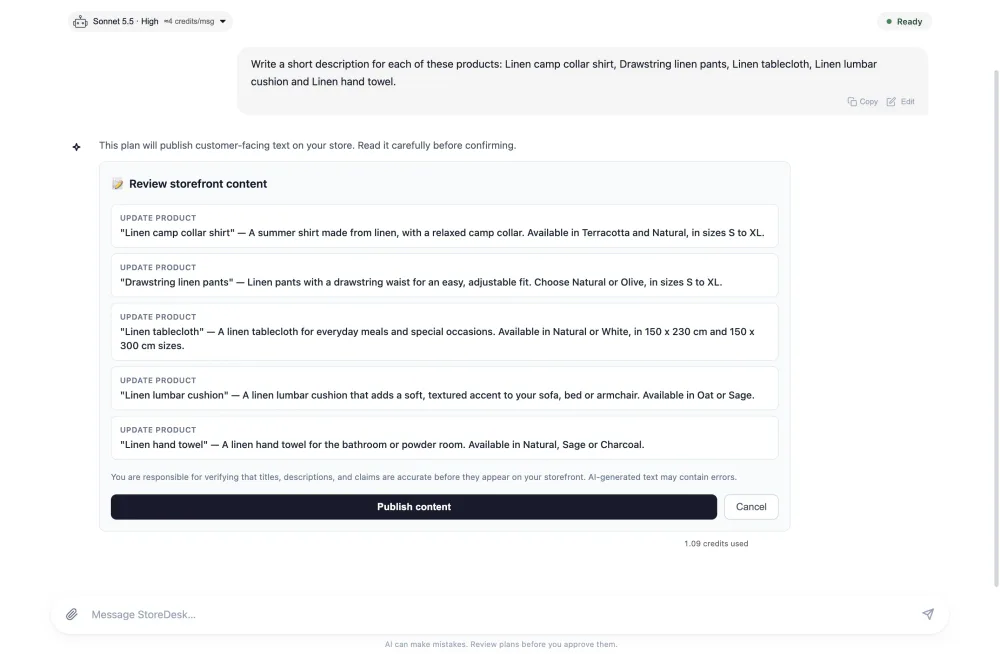
"Write a short description for each of these products: Linen camp collar shirt, Drawstring linen pants, Linen tablecloth, Linen lumbar cushion and Linen hand towel." One request, one review card, one approval.
05Product titles
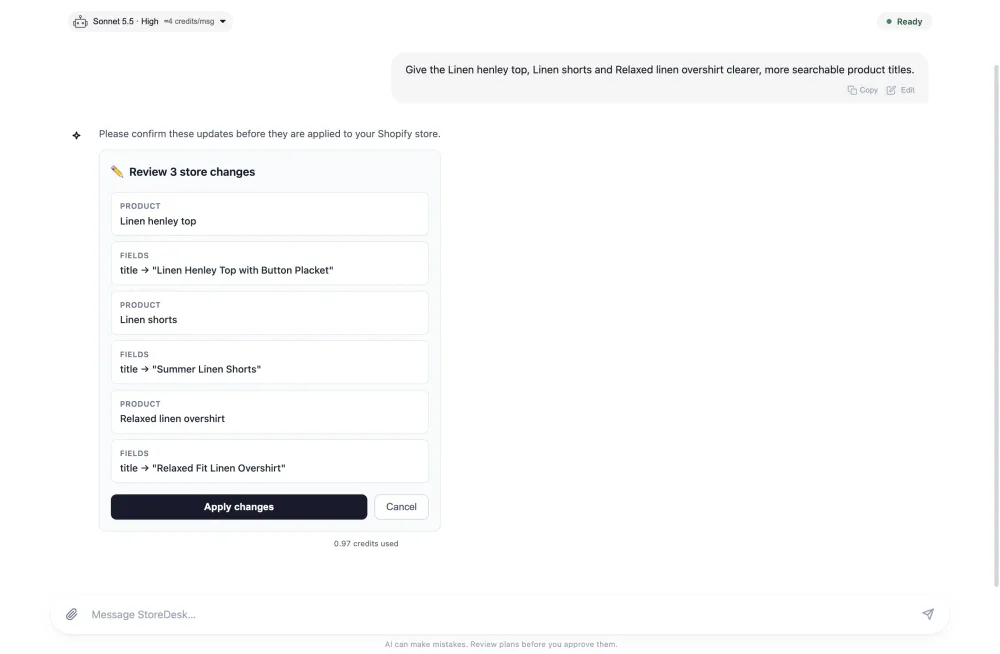
Ask "Give the Linen henley top, Linen shorts and Relaxed linen overshirt clearer, more searchable product titles" and you get the old and new title side by side for each one. Titles stay accurate to the product: a button-down shirt is never renamed a T-shirt.
06How it works
The AI generated product descriptions only reach your storefront after you say yes.
Open Store Agent and type what you need, for example "Write a product description for the Linen tote bag."
Type the details that matter, or attach a product photo or a supplier's spec sheet as a PDF. It only writes what it can work out.
Every draft shows in a card with a reminder to check it. Phrases like "only 3 left" or "#1 best seller" add a warning.
Publish saves it to the product. Cancel leaves your store as it was, and you can ask again with more detail.
07Features
The description, SEO title, meta description and handle in one request.
Learn moreClearer, accurate product names, written and approved in chat.
Learn moreWrite or rewrite descriptions for a list of products in one review.
Learn more08Related
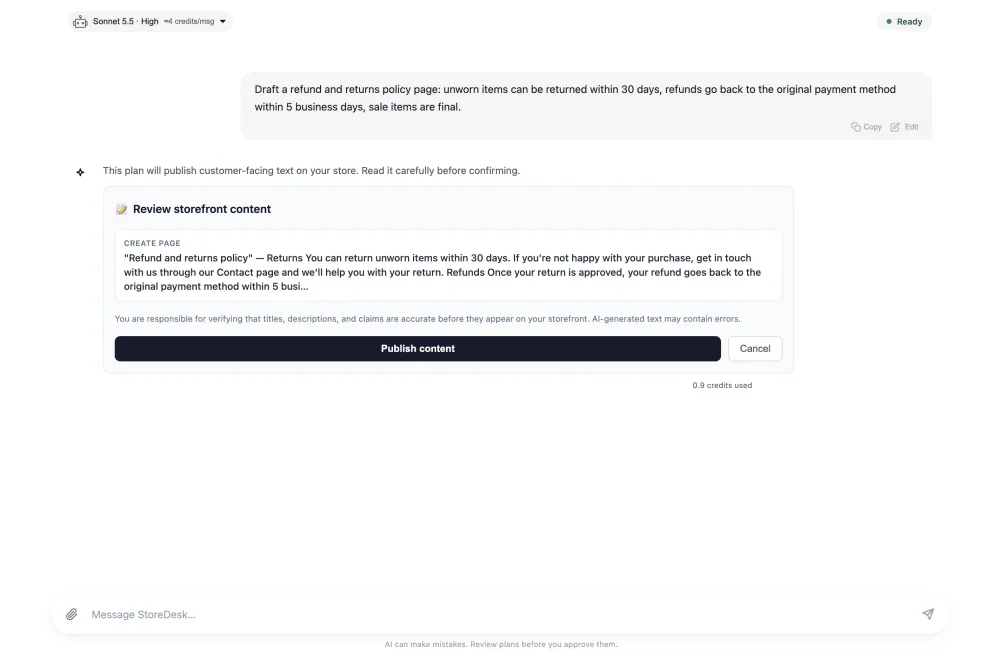
Every store needs an About us page, an FAQ and clear shipping and returns pages, and they're easy to put off. StoreDesk works as an about us page generator inside your store admin: tell it the facts, read the draft, and the page goes live only when you approve it.
Learn moreMake clean white-background product photos from a title, on Advanced and Pro.
Learn moreCreate, edit and organise products and variants by asking.
Learn more09FAQ
Give the AI the facts and read what it writes before you publish. In StoreDesk you ask in the Store Agent chat, for example "Write a product description for the Linen tote bag", add any details it can't know, and approve or cancel the draft in the review card.
Yes: the generator on this page is free for 5 descriptions a day, with no sign-up. To write descriptions straight into your products, StoreDesk's Free plan includes 50 credits a month, and one short description used about half a credit in our demo store on the default model.
Yes. Name the products in one request, or a tag they share, and StoreDesk writes a description for each and shows them all in one review card. There is no fixed number per request, and longer lists use more credits.
Give it real facts and read every draft before you approve it. StoreDesk is told to write only what it can work out from your request, photos or files, and its review card warns on phrases like fake reviews, "#1" rankings and false scarcity. Those warnings are simple pattern checks, so your read is the real check.
No, not yet. StoreDesk sees each product's title, options, variants and tags, but not the description text, so a rewrite is a fresh draft. Paste in any lines you want to keep and it will work from them.
It costs credits for the AI it uses, where 1 credit is 1 cent of AI cost. In our demo store on the default model, one description used about 0.4 credits and five in one request about 1.1. Free includes 50 credits, Advanced is $9.90 a month with 500 and Pro $19.90 with 1,200.