Store analytics

Top selling products, found with one question

Ask which products sell best and StoreDesk ranks them from your own orders, by revenue or by units. Then check their stock or turn them into a collection, with your approval.

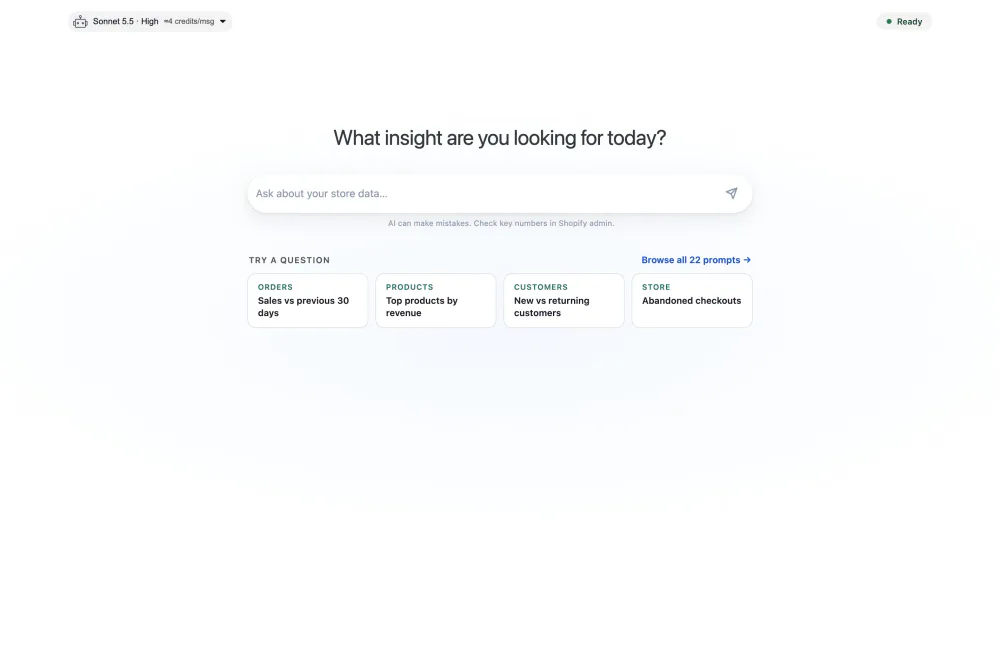
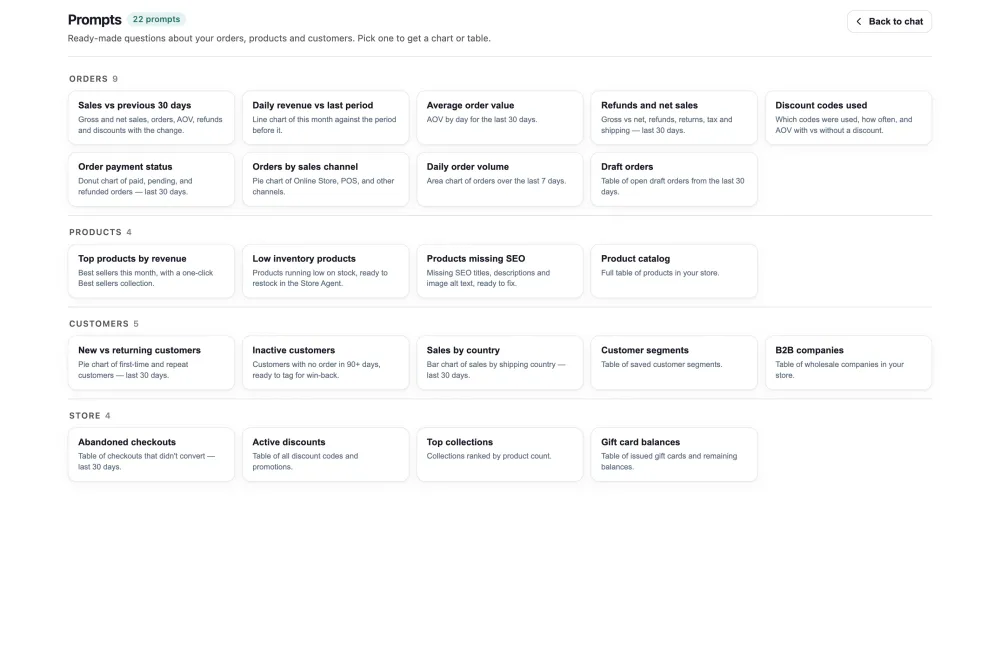
StoreDesk prompt library with 22 ready-made questions, including Top products by revenue and Low inventory products

01Overview

Top selling products report in StoreDesk

Your top selling products are the ones worth keeping in stock, featuring on the home page and putting in front of new visitors. Finding them shouldn't mean exporting orders into a spreadsheet.

In StoreDesk you ask: "What are my top 5 products by revenue this month?" Store Analytics reads your orders for that period and returns a best selling products report as a bar chart or a table. From there you can ask how much stock those products have left, or send them to the Store Agent as a Best sellers collection.

The report is read-only. Anything that would change your store goes through the Store Agent, where you approve it first.

Best sellers by revenue or by units

Ask for best sellers by revenue to see which products bring in the most money, or by units sold to see which ones move fastest. The two lists often differ: a low-priced item can lead on units while a few big orders put another product at the top for revenue.

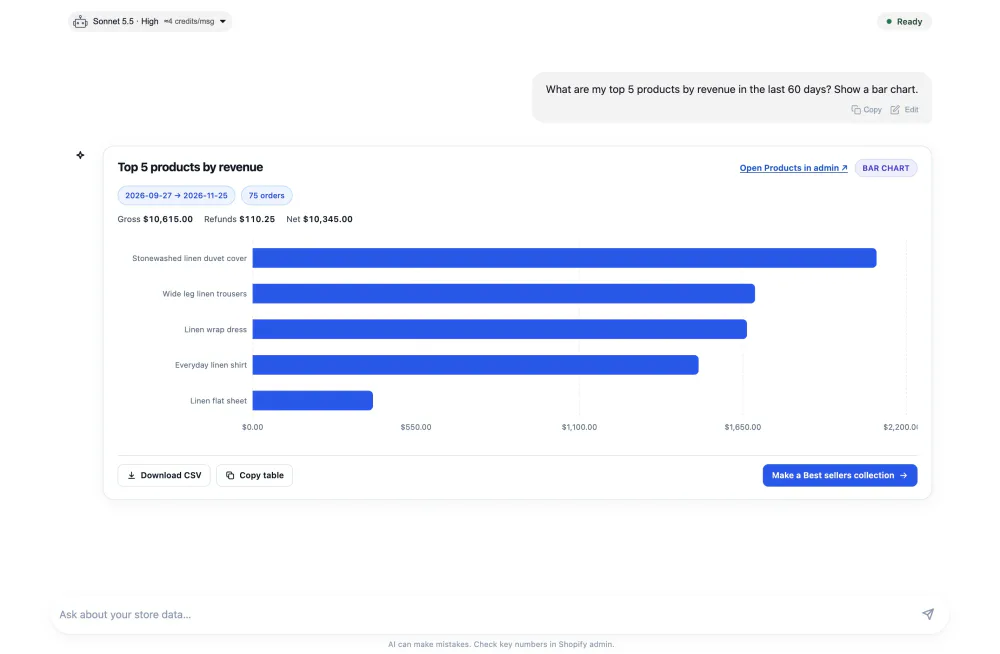
Each chart shows the date range, how many orders it read, and gross, refunds and net, so you know exactly what the ranking is based on. Ask for up to 50 products, or a shorter top 5 or top 10.
StoreDesk
StoreDesk bar chart of the top five products by revenue, led by the stonewashed linen duvet cover, with a Make a Best sellers collection button

Make a Best sellers collection

Under a top products chart there's a Make a Best sellers collection button. It opens the Store Agent with the request typed into the message box: a manual collection called Best sellers with the products from the chart.

Nothing is sent until you press send, so you can rename it or leave a product out. Then the Store Agent shows a review card, and the collection is only created when you approve it.

Check stock on your best sellers

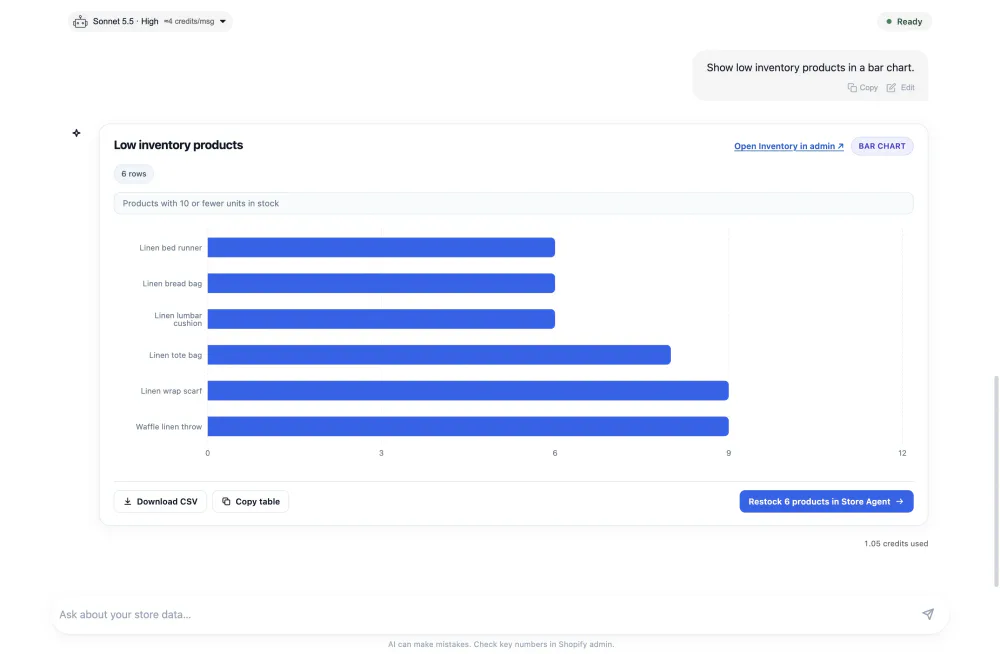
A best seller that runs out stops selling. Ask "Show low inventory products in a bar chart" and Store Analytics lists products with 10 units or fewer in total (ask for a different threshold if 10 doesn't suit you).

The chart has a Restock button for the Store Agent that writes the restock request for you, ready to review and approve. It counts each product's total stock, so a product with one empty size and others in stock won't appear.

StoreDesk
StoreDesk bar chart of six products with 10 or fewer units in stock, with Download CSV, Copy table and a Restock in Store Agent button

How to find slow moving inventory

Slow movers are the other end of the same list, and StoreDesk doesn't have a dedicated report for them yet. Two questions get you most of the way:

  • "Top 50 products by units sold in the last 60 days" shows what sold and how much.
  • "List my product catalog in a table, 50 rows" shows everything you sell.

A product on the catalog list that's missing from the sales list sold nothing in that window. Both lists stop at 50 rows, so this gives a full answer only in a catalogue of 50 products or fewer.

02How it works

How to use top selling products report in 4 steps

What you ask StoreDesk, what it shows you and what you approve, in order.

  1. Ask for your top products

    "What are my top 10 products by units sold in the last 30 days?" or pick Top products by revenue in the prompt library.

  2. Read the ranking

    Check the date range and order count above the chart, and ask for revenue or units if you want the other view.

  3. Check their stock

    Ask for low inventory products to see which best sellers are close to running out.

  4. Act with approval

    Use the Best sellers or Restock button, review the Store Agent's card and approve it.

04Get started

Try top selling products report on your store

Add StoreDesk to your store and ask for top selling products report in plain English. Nothing changes until you approve the plan.

05FAQ

Top selling products report questions

Answers to common questions about top selling products report in StoreDesk.

Still have a question?

Write to us and a person answers.

How do I find the best selling products in my store?

Ask StoreDesk's Store Analytics "What are my top 10 products by revenue in the last 30 days?", or by units sold. It ranks products from your own orders for the period you ask about and shows them as a bar chart or a table.

How do I find slow moving inventory?

Compare units sold by product over the last 60 days with your full product catalog. Products that are in the catalog but missing from the sales list sold nothing in that window. StoreDesk has no dedicated slow-mover report yet, and both lists stop at 50 rows.

Should I rank best sellers by revenue or by units?

Use both, because they answer different questions. Revenue shows which products bring in the most money, units show which ones move fastest and need restocking soonest.

Can I turn my best sellers into a collection?

Yes. The Make a Best sellers collection button under a top products chart writes the request for the Store Agent. You can edit it, and the collection is only created after you approve the review card.

How many products can the report show?

Up to 50 products per list, from up to 2 years of orders once full order history access is granted (60 days until then). Ask for a top 5 or top 10 for a quicker chart.